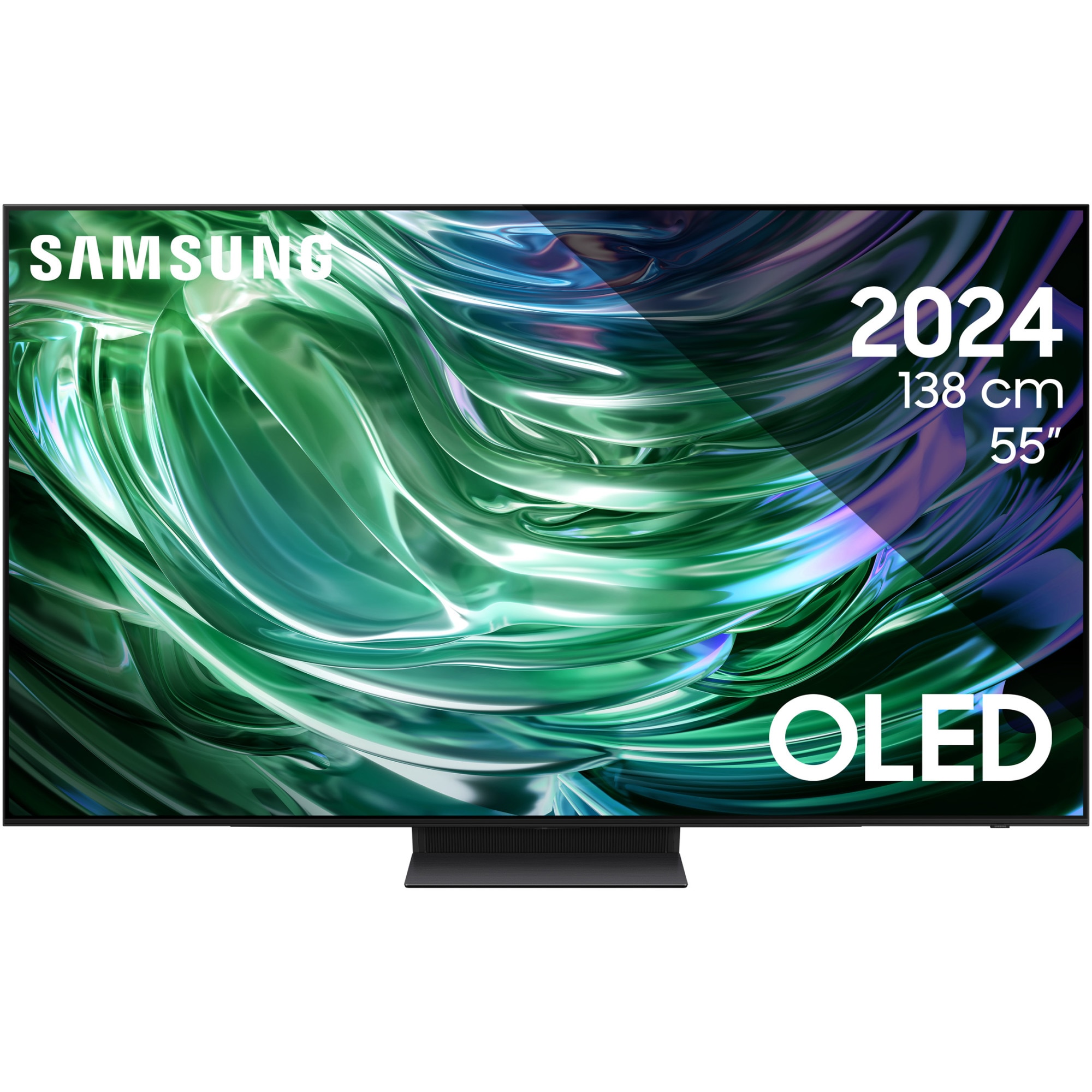
TV SAMSUNG OLED 48S90D, 138cm, Smart, 4K Ultra HD, 100Hz, Class G (Model 2024)
 (100 in stock)
4,699.99 RON
TV SAMSUNG OLED 48S90D, 138cm, Smart, 4K Ultra HD, 100Hz, Class G (Model 2024) NQ4 AI Gen2 Processor Experience the true power of AI in 4K Our NQ4 AI Gen2 processor creates an unparalleled 4K experience. Powered by 20 AI neural networks, the upscale technology optimizes picture and sound in a stunning 4K experience when streaming OTT services, playing video games or watching live sports. And with unique technologies, such as color mapping and OLED brightness amplifier, you enjoy unparalleled color, contrast, brightness and details. OLED Deep black, pure white and intense colors The Samsung OLED TV displays deep black, pure white and a full range of intense colors. With state-of-the-art self-illuminating pixels, what you see is a pure, bright and more accurate image than ever before. OLED HDR+ Strong brightness and richer contrast in every pixel Experience strong brightness and a deeper range of contrast. Our NQ4 AI Gen2 processor analyzes every scene to deliver maximum brightness and contrast, as every pixel with OLED HDR+ highlights even the smallest details. Samsung Tizen OSOptimize your entertainment with the Samsung Tizen OS Get more out of your TV with the latest Samsung Tizen OS applications and services. Enjoy live, free TV channels and thousands of movies with Samsung TV Plus, as well as cloud games without interruptions with Gaming Hub. You can even manage your daily activities with Daily+ and control your smart devices from your TV with SmartThings. * Content and services may vary by region and may be changed without notice. * Agreement with the Smart Hub Terms and Conditions and Privacy Policy is required before use.* Some content and services require registration and subscription.* (Except China, Turkey, Israel) Requires a Samsung account to access the full range of functions Samsung Tizen OS, including smart TV functions and applications. If you choose not to authenticate, you will only be able to connect to terrestrial TV (applicable only to devices with a tuner) and to external devices, e.g. via HDMI. You may need a separate device (eg PC or mobile) to create a Samsung account. 4K Al UpscalingUpscale to 4K quality Our 4K Al Upscaling technology, powered by 20 Al neural networks, transforms content into near 4K resolution.* The viewing experience may vary depending on content types and formats. * 4K Al optimization may not apply to PC connection and Game Mode. Enjoy authentic color, validated by PANTONE PANTONE validation certifies the accurate reproduction of 2,030 PANTONE colors and 110 skin tones, newly added. Thus, you can enjoy a precise, real viewing experience, better than ever. Real Depth EnhancerDepth perceived similar to the human eye Real Depth Enhancer reproduces the way the human eye processes depth, by increasing the contrast in the foreground. You experience a heightened sense of realism, as your TV recreates the depth of a person's gaze.* The viewing experience may vary depending on content types and formats. Intelligent EyeComfortImage mode, optimized for your eyes The brightness and colors of your display are automatically adjusted according to local sunset and sunrise times, so that your screen is more pleasant for the eyes, facilitating relaxation.* Automatic pre-loading services are subject to change without notice prior and may vary depending on the region. Motion Xcelerator Get motion clarity for your favorite game content Motion Xcelerator offers ultra-smooth action, lag-free performance and motion blur. You can enjoy clear images and extremely fast speeds for VRR games. Al Auto Game Mode Experience a perfect game with automatic settings optimization based on artificial intelligence. Let your TV automatically detect the type of games you play, offering game settings for each category. Free yourself from the unpleasant task of setting up games and play.* Al Auto Game Mode is only available for certain games on the console.* Availability may vary depending on the content and format of the game. Game BarOptimize your gaming experience The larger TV screens, with ratios of 21:9 and 32:9, offer you extended viewing and an enhanced gaming experience. Optimize your game with the Game Bar, for easy access to various game settings. * Super Ultrawide GameView (21:9, 32:9) is available for select PC and console games that support ultra-wide screens. It may be necessary to change the screen resolution from the external device* Some units may not support this feature. The Game Bar mode is not supported in certain installments. refresh.* The Game Bar user interface is subject to change without prior notice. Dolby Atmos®A next-level Dolby Atmos experience Enjoy an incredible audio experience that puts you in the middle of the action. Dolby Atmos offers multidimensional and incredibly realistic sound. OTS Lite Captivating virtual sound that follows the action A 3D surround sound, with virtual superior speakers, that puts you in the middle of the action. Active Voice Amplifier Pro Voice enhancement with artificial intelligence lets you hear without distractions Sound enhancement technology powered by artificial intelligence delivers clear dialogue by analyzing background sounds and voice clarity to isolate voices from other sounds. Enjoy an unparalleled audio experience, with clear dialogue, even in distracting environments.* This function can be activated in TV Menu > Intelligent Mode > Active Voice Amplifier Pro. The default setting of Active Voice Amplifier Pro is Disabled. Adaptive Sound Pro Authentic sound, as the artist intended, remastered with AlAdaptive Sound Pro audio processing optimizes the sound, taking into account both the characteristics of your room and the audio content. Experience voice clarity and an intense but balanced sound, as the creators intended, thanks to Al audio processing, which extracts and processes sound objects* This function can be activated in TV Menu › Intelligent Mode › Adaptive Sound Pro. The default Adaptive Sound Pro setting is Off. SmartThings SmartThings Hub built-in Connect your smart devices to the TV With the SmartThings Hub built into the TV, you can seamlessly connect and control smart devices compatible with the Matter and HCA standards, without the need for any additional devices. 360 Audio Mode 3D spatial sound with Galaxy Buds Connected to Galaxy Buds headphones, 360 Audio Mode offers an immersive listening experience. DirectMulti-Channel and the intelligent sensor identify the sound direction while moving your head for a 3D spatial experience and truly immersive sound.* Available with Galaxy Buds 360 audio (Galaxy Buds Live/ Buds Pro/ Buds2 / Buds2 Pro). 3D Map View Your TV becomes the control center of the smart devices in your home Manage your home better, by monitoring and intuitively controlling your home appliances and LoT devices, with the help of a 3D map of your home.* The image is simulated and is only intended illustrative. It can be changed without prior notice. Multi View See everything on one screen Watch what is broadcast on TV and on your mobile phone, on the same screen, at the same time. Whether it's live sports stats or game trick videos, simply connect your phone and multiscreen like never before.* The number of available views and supported apps/sources depend on the TV model and may be updated without notice. Requires a Samsung account.* Supports Android OS and iOS-based smartphones for Q70Dt models.* Multi View for mobile is available on Android 4.2 or later. For iOS devices, AirPlay is supported on iOS 12.3 or later.* The actual user interface may differ from the displayed image. Samsung Daily+ Manage your daily activities and lifestyle with the Samsung Tizen operating system Through the Samsung Tizen OS application ecosystem, Daily+ allows you to easily manage your daily activities and lifestyle using the TV. Daily+ includes applications and services, such as SmartThings and Workspace. SmartThings Activate SmartThings! Optimize your home devices through a smart lifestyle, adapted to your needs. Enhanced with the Built-in SmartThings hub, you can enjoy a smart home, personalized with various SmartThings compatible devices, which simplifies your daily life.* The technology, functions and features available may vary by country, service provider, network environment or product and may be changed without notice. * Requires a Wi-Fi, Bluetooth or other wireless network connection and Samsung account login. * Connected devices sold separately.* Use of quiet technology requires consent to both the SmartThings privacy notices and the auto-enrolled device privacy notices.* LaserSlim DesignElegant and slim, laser-like The elegant and slim design of OLED combines the unique beauty with powerful functionality. With a slim shape and a minimalist frame, your TV integrates perfectly into any interior. Why Samsung TV? Samsung Knox Security Your privacy. Secured. Confidentiality protected. Sensitive data (PIN codes or passwords), protected by software and hardware. Samsung Knox Security protects loT devices connected to the TV and blocks malicious applications or websites. With the Samsung security team you are safe, with regular updates.* The Secured by Knox' service applies to Samsung TVs with the Tizen® operating system, launched from 2015 to the present.* The security software update is guaranteed for at least three years from product launch.* The latest software update is required. Al Energy Mode Save energy with intelligent analysis Save energy simply with SmartThings. With Al Energy Mode on, your TV detects light levels and analyzes usage methods, adjusting brightness and reducing energy consumption. It also analyzes TV content, adjusting brightness where possible.* Energy saving rate may vary depending on regions, models, sizes, viewing conditions or content types. * Products shipped in Eco Mode have some Al Energy Mode features enabled by default, so energy saving levels by enabling Al Energy Mode may appear lower compared to Standard Mode.* Al Energy Mode does not work with Game Mode.* Energy savings are based on internal test results and may vary depending on the displayed content and surrounding brightness levels. SolarCell remote control A remote control made of recycled materials, which is charged by artificial sunlight. With the help of the solar panel positioned on the back, which you can use for charging, you can give up single-use batteries for the SolarCell remote control, since these are not the better for the environment.* To charge the remote with solar energy, place it with the solar panel facing up. It can be charged both with artificial light from the room and with natural sunlight during the day. * If the remote control battery is completely discharged, you can charge it using a USB-C cable. To check the remaining level of the remote control battery, consult the TV Menu (Settings › General Settings > Power & Energy Saving > Available Remote Battery). * The design and appearance of the SolarCell remote control buttons may vary depending on the region.* The SolarCell remote control for TV models in the 2024 range contains at least 24% recycled plastic (according to the total weight of the plastic)
Quantity
Related Products