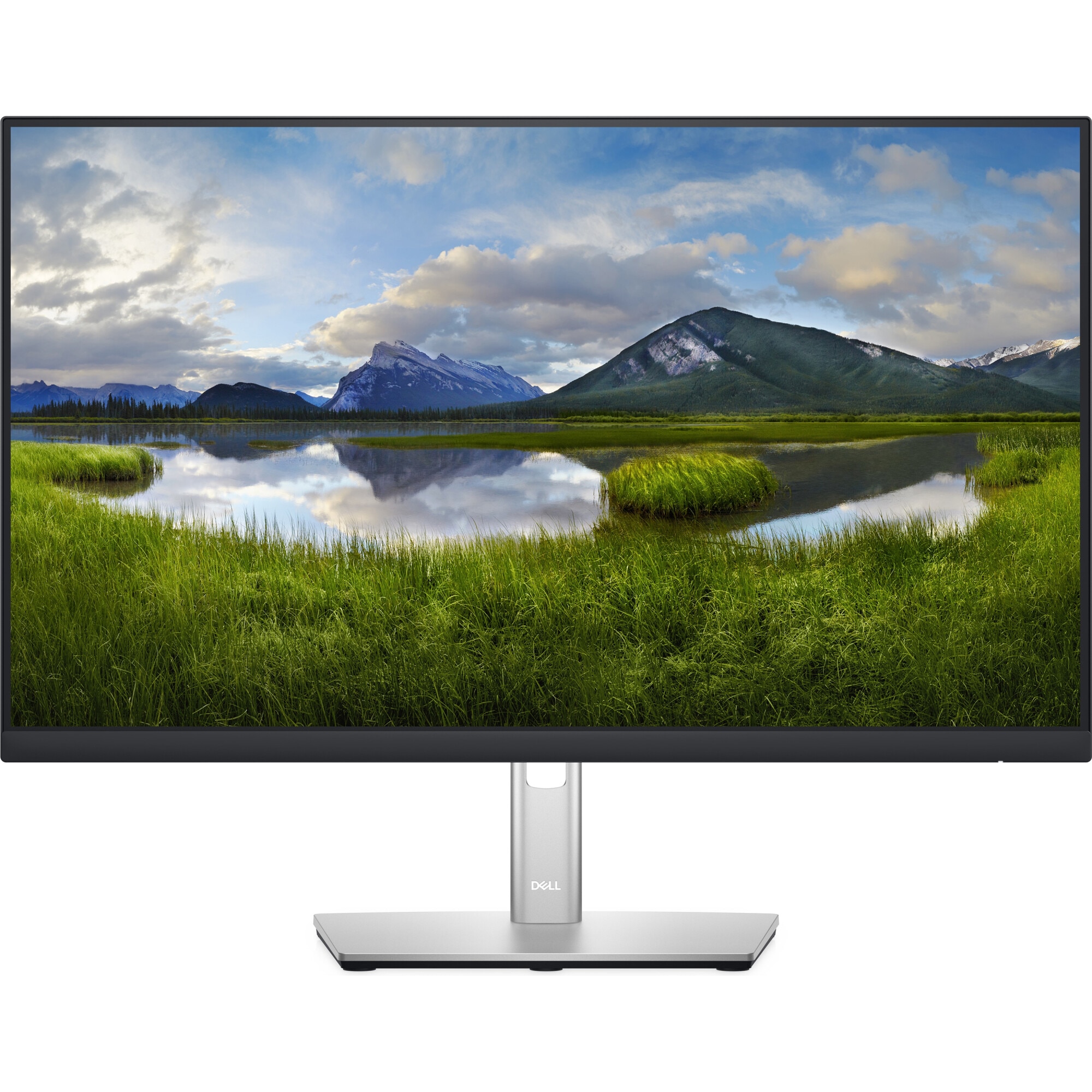
Monitor USBC HUB LED Dell 238'' Full HD, HDMI, Display Port, USBC, USB, P2422HE
 (100 in stock)
1,022.69 RON
Monitor USB-C HUB LED Dell 23.8'' Full HD, HDMI, Display Port, USB-C, USB, P2422HE Stay productive, no matter where you work. Reduce harmful blue light with this stylish 23.8-inch hub monitor with FHD resolution and ComfortView Plus. Better viewing from any angle Comfort without sacrificing color: optimize eye comfort with ComfortView Plus technology, an integrated, always-on screen that reduces potentially harmful blue light emissions while providing excellent color accuracy. Color consistency is delivered as standard: let yourself be captivated by uniform and vivid colors throughout the wide viewing angle, thanks to in-plane switching technology (IPS). With 99% sRGB coverage, you can get accurate colors right out of the box. Slim, stylish and organized: hide cables in the monitor riser plate to keep things organized. This stylish monitor has an ultra-slim three-sided frame, a small base and an improved, easy-to-use cable management system. Comfort is essential: tilt, rotate, pivot and adjust the height of the monitor (150mm height adjustment range) , for added comfort during operation. Designed for you: attach the Dell slim sound bar (SB521A) and perfect your listening experience. Connect to productivity A productivity hub: Turn your monitor into a hub of productivity with RJ45 for Ethernet cable connectivity and USB-C, providing up to 65W of power, all in a tidy configuration. Improved management: MAC address transfer, PXE boot and network activation are conveniently built in. Convenience with a single cable: Reduce cable clutter with USB-C connectivity, which offers the flexibility of connecting to USB-C systems from multiple manufacturers3 and saves up to 72% of workspace setup time, reduces clutter created by cables and allows quick transitions from the office. Increased productivity: simply press the monitor's power button, and the power synchronization feature seamlessly turns on the monitor and the connected Dell PC, even when the laptop lid is closed. Compatible with select Dell PCs. Expanded connectivity: Easily connect to a variety of devices with expanded connectivity ports, including HDMI, DisplayPort, DisplayPort (out), USB-C, RJ45, 4 SuperSpeed USB ports of 5 Gbps. Quick-access ports: Easily share and deliver content through the quick-access ports located on the front of the display. Expand your efficiency: Increase productivity by up to 39% by expanding the desk with the help of the keyboard, mouse- and connecting two productivity center monitors via Dell Express Daisy Chaining – a feature that allows the automatic detection of the second display, skipping the manual step of changing the OSD settings. Increase your efficiency even more with the multitasking tools of the Dell Easy Arrange feature. Dell Display ManagerProductivity at any level: Easy Arrange allows you to easily arrange multiple applications on one or more screens, with 38 preset window partitions and the ability to customize up to five windows, which gives you better multitasking capabilities .Smooth transitions: the auto-restore feature remembers where you left off, so apps return to where you left off, even after you've logged out.Convenience secret: hotkeys can save you even more time, allowing you to easily configure display management settings so you can work faster. More ways to manage: Asset management reports allow IT administrators to quickly capture and track monitor information and configure simultaneously several monitors, through a single action. Green thinking for today and the futureEnvironmental standards: this monitor meets the latest regulatory and environmental standards, such as EnergyStar®, EPEAT® Gold and TCO Certified Edge Displays.Green packaging: to reduce the impact of production on the environment, we deliver this monitor in packaging made of at least 75% recycled cardboard, without polystyrene. Energy conservation: when the monitor is not in use, save energy with PowerNap, a function that reduces the brightness or puts the monitor to sleep when not in use in use. Promoting sustainability: Dell Technologies is committed to reducing the impact on the environment throughout the product's life cycle. Connectivity options Ports and slots: 1. Security lock slot | 2. Power connector | 3. HDMI port | 4. Bracket lock | 5. DisplayPort (input) | 6. DisplayPort (output) | 7. USB Type-C port upstream | 8. SuperSpeed USB 5 Gbps downstream port (4) | 9. RJ-45 port; Cables included: Power cable | DisplayPort to DisplayPort cable (1.8 meters) | USB-C cable (1.8 meters) | Cable tie;
Quantity