
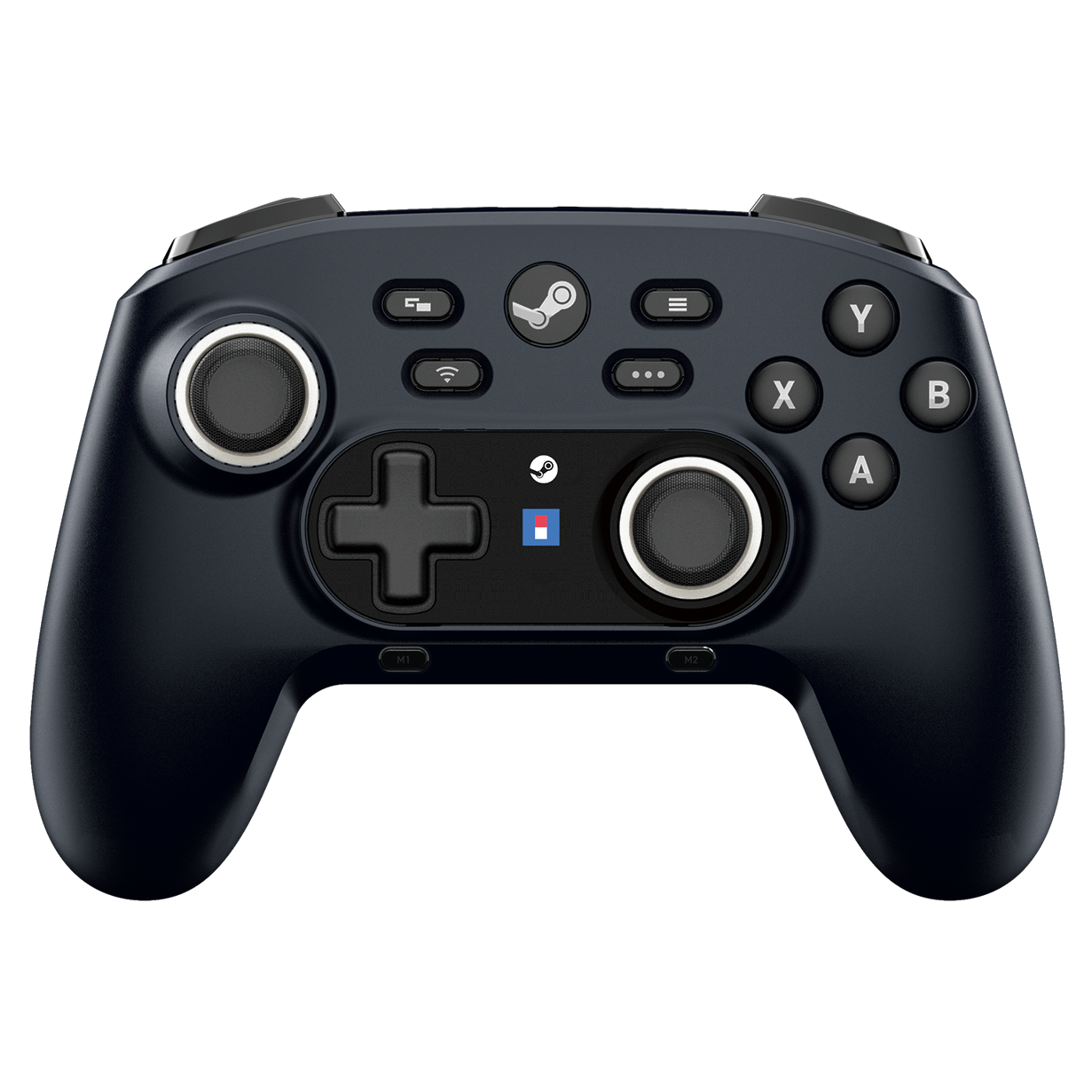
Hori HORIPAD Pro Wireless Controller for Steam, Midnight Black for PC
 (100 in stock)
269.99 RON
Hori HORIPAD Pro for Steam Wireless Controller, Midnight Black for PC The HORIPAD Wireless for Steam is the controller specifically designed for use on Steam™ for Windows 11/10 and Steam Deck™. Quickly open Steam menus during gameplay with three dedicated menu buttons - great for playing in Big Picture mode! This fully rechargeable professional pad connects to your Steam Deck or Windows PC running Steam via Bluetooth wireless with up to 12 hours of battery life. Don't have Bluetooth? No problem - HORI has you covered with a USB-A Bluetooth receiver. It also works as a wired connection via the included USB cable (XInput mode is only compatible with wired connection). Packed with features including gyroscopic sensors for motion control, two programmable back buttons and two function buttons, analog/digital triggers and Capacitive Touch Thumbsticks - assign functions to be activated when you touch the analog sticks. (*Does not include the following features: vibration, trackpad, headphone jack). Compatible with Steam™ and Steam Deck™. Features: Rechargeable wireless pro controller designed for Steam for Windows 11/10 and Steam Deck™ Dedicated buttons for quick access to Steam menus Capacitive touch thumbsticks, gyro sensor, programmable buttons and more Also works as an XInput controller for Windows 11/10 (wired mode only) Compatible with Steam™ and Steam Deck™ Capacitive touch thumbsticks Customize the capacitive touch thumbstick to toggle the Gyro function or other functions. (Available in Steam mode only) Steam button Use the Steam button to easily access the Steam menu or activate Big Picture mode. When in Big Picture mode, the Steam menu can also be activated during gameplay. (Available in Steam mode only) Quick access button A menu for simple settings can be accessed and displayed during gameplay in Big Picture mode. (Available in Steam mode only) Customize settings in Steam Configure buttons, Gyro, Turbo and analog stick sensitivity in Steam. Four additional buttons with programmable functions Assign functions to the buttons using the companion app. (Assignment function is available even in XInput when using the wired USB connection) Gyro function Gyro function allows in-game camera and other functions to be controlled by tilting the controller. (Available in Steam mode only) Turbo function Activate the Turbo function on the controller for rapid fire. Turbo function settings can be configured via the companion app (only in XInput mode) or in Steam. Wireless or wired Bluetooth® connection The controller supports both wired and wireless connectivity*. (Bluetooth® receiver included) *XInput is available wired only Switch between analog or digital trigger buttons Digital mode produces the maximum input value, useful for FPS games, while analog mode allows for fine-tuned inputs, desired in racing games. Switch between the two modes using the switch located on the rear panel. Controller customization available via companion app Assign buttons, Turbo settings, analog stick sensitivity and more within the setup app. (Available in XInput mode only) User Manual.pdf
Quantity
Related Products